Creating a Product
Learning Through Pixels


The Villagers grew into an educational app for school-aged children — reading, drawing, and math, all taught by the characters, with collectible card packs as the reward. Scroll through the product — the panel follows along.
Reading the story

The Reading section serves the Villagers story chapter by chapter, organized into levels. Characters appear inline as pixel badges while you read, so young readers can always see who is talking — and finishing a chapter earns points toward rewards.
Learning pixel art, square by square

The Drawing studio teaches pixel art three ways — paint-by-numbers, silhouette, and freehand. Kids pick any villager, rebuild it on a 16×16 canvas using the character’s own palette, and press “Check My Work” to see how close they got.
Math, with a villager on your side

In the Math Challenge, kids pick a villager as their teammate and solve equations across Beginner, Challenger, and Expert modes. Ten questions per round, points for every correct answer, and tickets that go toward booster packs.
Every level introduces a new cast

The app is organized into nine levels, and each one brings new villagers to meet — complete with the biographies that give every character a personality. The cast is the thread that ties reading, drawing, and math together.
158 cards to collect

Every villager is also a collectible trading card. The Collection screen tracks progress level by level — 158 cards across all nine levels, with locked cards shown in silhouette so kids can see exactly what’s still out there.
Effort earns packs


Reading chapters, finishing drawings, and acing math rounds all feed the same reward: booster packs. When a pack is earned, the whole app steps aside for the moment — one pack, three cards inside, and a single glowing button.
The reveal
The opening animation is the heartbeat of the product — the pause, the burst, and the cards tumbling out. It borrows the thrill of a real trading-card pack and attaches it to schoolwork.
The haul
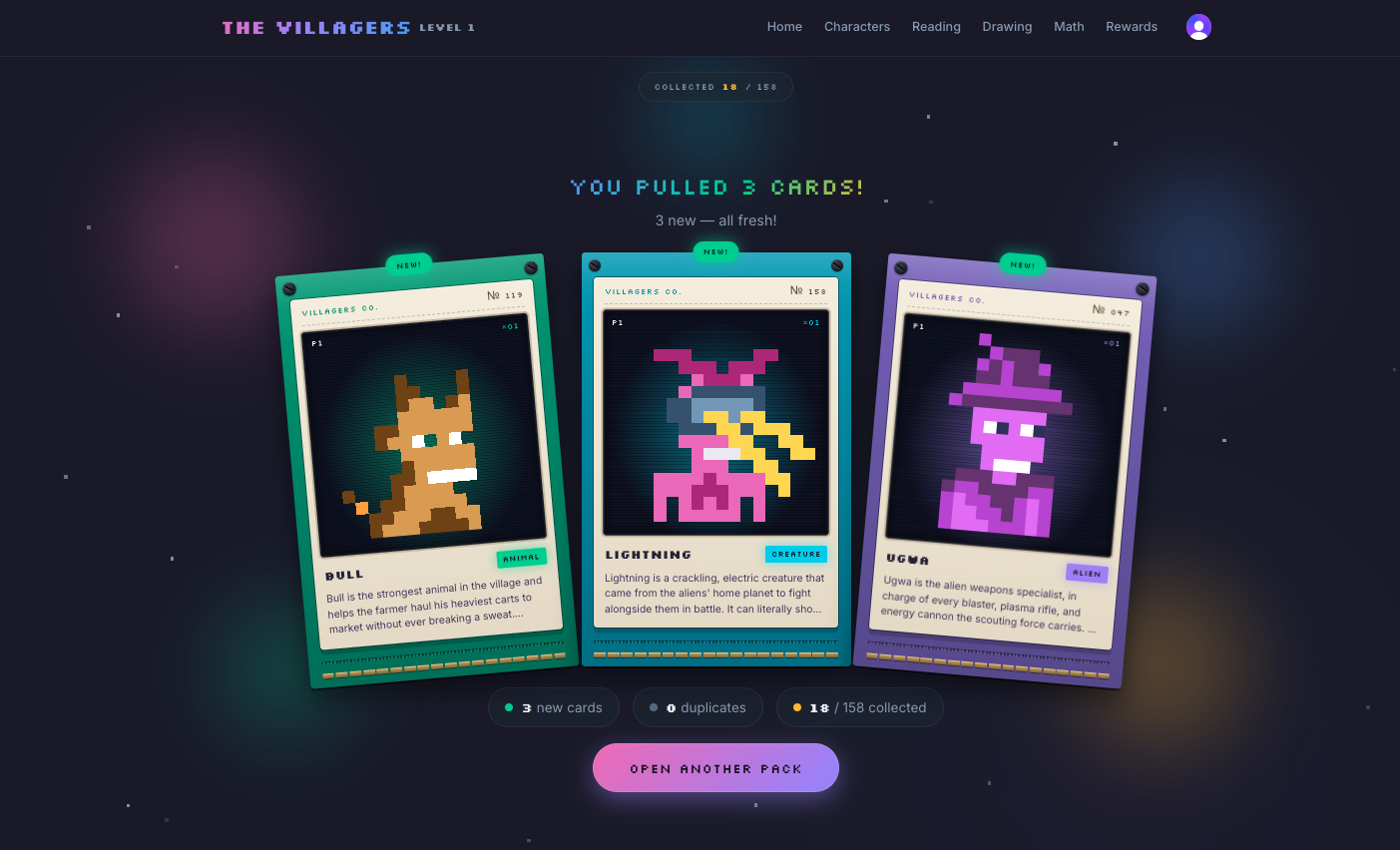
Three cards, each with the character’s art, type, and a snippet of their biography. New pulls count toward the collection, duplicates are tallied, and the “Open another pack” button sends kids straight back to earn more.
What I learned
Lean into play
Kids love this because it feels like a game. Focus on the fun elements like characters, colors, and story.
Create easy wins
If they feel momentum, kids will keep playing and learning. So give them easy wins to grow their confidence.
Keep it connected
When all the pieces are connected, it makes the play more fun. Reading, Drawing, and Math are all tied together with rewards.